
Paragraph

PreviousNext

A block of editorial text — title, subtitle and an expandable HTML description — optionally next to an image

Mountains above the clouds

Grand Massif Samoëns Morillon

French Alps

Nestled between the Mediterranean Sea and the mountains, our resort offers an unforgettable all-inclusive experience. Enjoy world-class cuisine, daily activities, and breathtaking views every morning.

Our dedicated G.Os are here to ensure every moment of your stay is filled with joy and discovery. From water sports to evening shows, there is something for every member of the family.

'use client';
import { Paragraph } from '@/ui/Paragraph';

export function ParagraphDemo() {
  return (
    <Paragraph
      className="w-full max-w-780"
      description="<p>Nestled between the Mediterranean Sea and the mountains, our resort offers an unforgettable all-inclusive experience. Enjoy world-class cuisine, daily activities, and breathtaking views every morning.</p><p>Our dedicated G.Os are here to ensure every moment of your stay is filled with joy and discovery. From water sports to evening shows, there is something for every member of the family.</p>"
      image={{
        alt: 'Mountains above the clouds',
        src: 'https://images.unsplash.com/photo-1506905925346-21bda4d32df4?w=960&q=70',
      }}
      labels={{ expand: 'See more', reduce: 'See less' }}
      subtitle="French Alps"
      title="Grand Massif Samoëns Morillon"
    />
  );
}

Overview

Paragraph presents a piece of editorial content: a title and subtitle grouped in an hgroup, then an HTML description clamped to 3 lines with a "see more" toggle. With an image, the image sits above the text on narrow widths and next to it on wide ones.

The layout reacts to the width of the paragraph itself (a container query on @container/paragraph), not to the viewport, so the same paragraph stacks in a sidebar and spreads in a main column.

Installation

npx shadcn@latest add https://develop.trident-ui.pro.clubmed/r/paragraph.json

Themes

theme changes the image shape, the layout breakpoint and the typography.

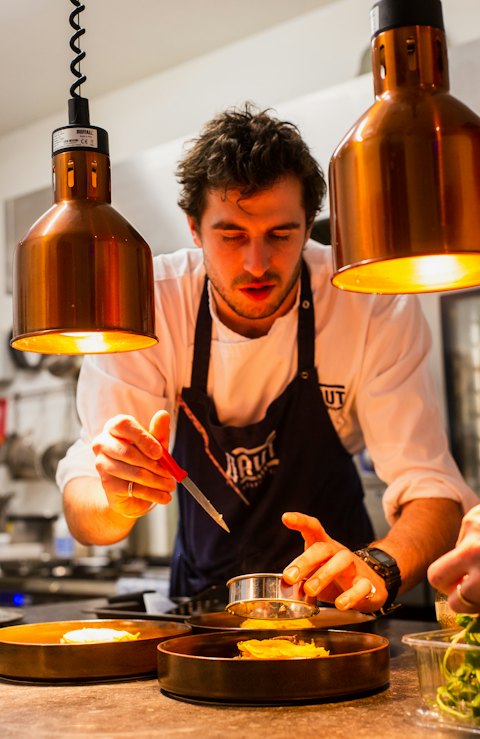
Portrait of the resort chef

Meet Julien

Executive chef

A day packed with activities, from sunrise yoga to the evening show. Join our G.Os for a unique experience shared with the whole family.

Evening show on stage

Evening show

Every Friday, 9 pm

A day packed with activities, from sunrise yoga to the evening show. Join our G.Os for a unique experience shared with the whole family.

'use client';
import { Paragraph } from '@/ui/Paragraph';

const description =
  '<p>A day packed with activities, from sunrise yoga to the evening show. Join our G.Os for a unique experience shared with the whole family.</p>';
const labels = { expand: 'See more', reduce: 'See less' };

export function ParagraphThemesDemo() {
  return (
    <div className="w-full max-w-780 space-y-40">
      <Paragraph
        description={description}
        image={{
          alt: 'Portrait of the resort chef',
          src: 'https://images.unsplash.com/photo-1577219491135-ce391730fb2c?w=480&q=70',
        }}
        labels={labels}
        subtitle="Executive chef"
        theme="circle"
        title="Meet Julien"
      />
      <Paragraph
        description={description}
        image={{
          alt: 'Evening show on stage',
          src: 'https://images.unsplash.com/photo-1514525253161-7a46d19cd819?w=480&q=70',
        }}
        labels={labels}
        reversed
        subtitle="Every Friday, 9 pm"
        theme="event"
        title="Evening show"
      />
    </div>
  );
}
ThemeImageSide by side fromTitleSubtitle
defaultHorizontal, full column width (half/half)@xltext-b2 font-semiboldtext-b3
circleRound, max 240px, centered while stacked@xlfont-serif text-h3text-b2 font-semibold
eventHorizontal while stacked, then vertical 172px wide@lgfont-serif text-h5text-b3 font-semibold

reversed moves the image after the text, only once the layout is side by side: while stacked, the image always comes first.

In a chapter, alternate the image side from one paragraph to the next (reversed={index % 2 !== 0}). The chapter title is not part of Paragraph: render it above the paragraphs (Newsreader font-serif text-h3, 32px above the first paragraph) and lower the paragraphs' hLevel accordingly.

With a button

button renders an outline black link after the description. It lives inside the expandable area, so it is revealed with the rest of the description when the text is clamped. It sits 20px under the text while stacked and 40px once side by side, and 24px above the "see less" toggle.

All-inclusive, the Club Med way

Meals, drinks, activities and kids clubs: everything is included so that you only have to enjoy your holidays. We're adding more text here to reaaaally pad out the length of the description for demonstration purposes. Does that feel long enough for you? Surely it is now? Okay just a bit more text to make it even longer. There. Perfect.

'use client';
import { Paragraph } from '@/ui/Paragraph';

export function ParagraphButtonDemo() {
  return (
    <Paragraph
      as="article"
      button={{ href: '#all-inclusive', label: 'Discover our all-inclusive offer' }}
      className="w-full max-w-780"
      description="<p>Meals, drinks, activities and kids clubs: everything is included so that you only have to enjoy your holidays. We're adding more text here to reaaaally pad out the length of the description for demonstration purposes. Does that feel long enough for you? Surely it is now? Okay just a bit more text to make it even longer. There. Perfect.</p>"
      labels={{ expand: 'See more', reduce: 'See less' }}
      title="All-inclusive, the Club Med way"
    />
  );
}

Extra content

  • children are rendered at the end of the text column, after the description.
  • slot is rendered after the text column, as a sibling of the image: it takes part in the side-by-side layout (a third grid cell in the default theme, a flex item otherwise).

API Reference

Paragraph

Extends the attributes of div (except slot), forwarded to the root element.

PropTypeDefaultDescription
descriptionstring—Required. Text of the paragraph. Accepts HTML, rendered with Prose.
labelsExpandableTextLabels—Required. expand and reduce labels of the "read more" toggle.
titlestringundefinedTitle, rendered as a heading.
subtitlestringundefinedSubtitle, rendered as a p under the title in the hgroup.
hLevel1 | 2 | 3 | 4 | 5 | 62Level of the title heading.
imageImageProps | nullundefinedImage next to the text. Accepts sources to render a picture.
reversedbooleanfalsePlaces the image after the text in the side-by-side layout.
theme'default' | 'circle' | 'event''default'Image shape, layout breakpoint and typography.
buttonParagraphButtonProps | nullundefinedOutline link rendered after the description.
as'div' | 'article''div'HTML tag of the root element.
slotReactNodeundefinedContent rendered after the text column, in the image layout.
childrenReactNodeundefinedContent rendered at the end of the text column.
classNamestringundefinedClasses of the root element, merged with cn.
idstringundefinedRoot id. The heading gets {id}-heading and the description {id}-text.

ParagraphButtonProps

Extends the attributes of a (except children).

FieldTypeDescription
labelstringRequired. Text of the link.

Accessibility

  • The title and subtitle are grouped in an hgroup, so the subtitle is not announced as a separate heading. The hgroup is omitted when both are empty.
  • With as="article" and a title, the article gets aria-labelledby pointing to the heading, so assistive technologies announce its name.
  • The "see more" toggle exposes aria-expanded and aria-controls (see ExpandableText). It only appears when the description overflows 3 lines.
  • Give the image a meaningful alt, or alt="" when it is decorative.

Notes

  • description is injected as HTML: only pass trusted, sanitised content.
  • Paragraph is a client component ('use client') because ExpandableText measures the text.
  • Without id, ids are generated with useId, so they stay stable between server and client renders.
  • The button is clamped with the description: when the text is long, it only shows once expanded.